
ESS Utumishi Portal: Complete Guide to Login, Registration, Salary Slip & Employee Services
Have you noticed how everything is moving online these days? From banking to shopping, everything is now just a click away. This shift has made life easy, fast and more convenient for all of us. By following this digital change, the Government of Tanzania also introduced an amazing online platform for its employees which is called ESS Utumishi. This system was launched by the president’s office of Public Service Management and Good Governance.
Their aim is to make work simple and stress free for public servants. With the ESS Utumishi(Watumishi) portal, government employees can check their salary slips, update personal details, apply for leave and access many other services anytime. This portal is designed to help you manage your job information easily no matter which department you work in.
What is the ESS Utumishi Portal?
The name “ESS Utumishi” comes from two simple words. ESS, which means Employee Self Service, and Utumishi, which means Public Service. Many people also know it as the Watumishi Portal. This platform was created by the Government of Tanzania to make life easy for public servants. They bring all important job related information into one place.The employees can quickly check their salary slips, update their personal details and review their service history. They can also download important documents anytime.
The supervisors can track an employee’s performance and monitor progress. They also manage their work records smoothly. Overall, it is a smart online system which allows every Tanzanian government employee to manage their job information. Without visiting offices or standing in queues they can manage it. It saves time and reduces paper work. It also makes communication between staff and supervisors clear and fast.
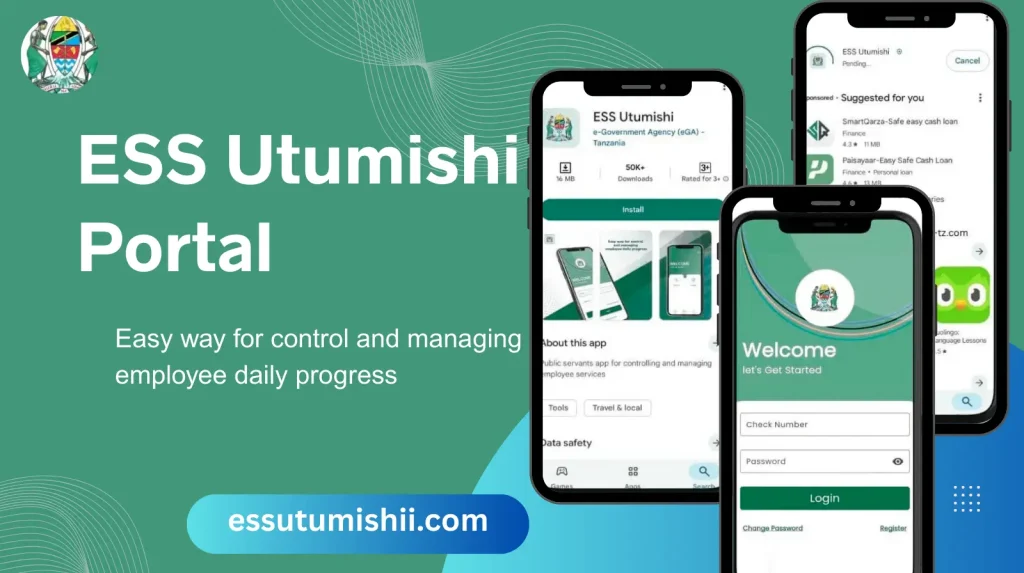
Who Created the ESS Utumishi Portal?
The ESS Utumishi portal was created by the President’s Office. The Public Service Management and Good Governance is responsible for managing government employees. They introduced this portal to make employee services fast and easy. The Tanzania e Government Agency also played an important role in developing this portal. eGA provided the technology, design and technical support to create a user friendly system. The eGA is reliable, modern and easy for all government staff.
Features of ESS Utumishi
Salary Slip Access
With the ESS Utumishi portal, the employees can easily view and download their salary slips online. You don’t have to visit the office or wait in long queues. This feature lets you check your monthly earnings, allowances and deductions anytime. It is safe, fast and saves time for both employees and the HR department. You can also access past salary slips anytime. This can make your financial planning much easier for employees.
Leave Application System
You can apply for leave online with this portal. You can select the type of leave and the dates. You can also attach any required documents. The supervisors can quickly approve or reject your request through the system. There is no need for paper forms and long queues. You can also track the status of your leave application. It can make the whole process fast and transparent.
Personal Information Update
Through the portal you can update your personal details. These include phone numbers, home addresses and emergency contacts. Your records are always accurate. You don’t have to visit your office every time. In the HR database this system automatically updates. It can save time and reduce errors. It also ensures that communication from your office reaches you correctly.
e Loan Application
The ESS Utumishi portal lets you apply for government loans online. You can submit all required documents digitally. You can also track the status of your loan application in real time. The system also notifies you about the approval or additional requirements. It makes the loan process fast and more organized. This feature is safe and convenient.
Transfer Request Feature
You can submit a transfer request if you want to transfer to another department. The supervisors review and process the procedure quickly. You can also track your request. In this way you can avoid long waits and paperwork. The system also keeps a record of your transfer history. It makes internal transfer transparent and easy to manage.
Work Performance Analysis
The portal allows both employees and supervisors to monitor work progress. The supervisors can provide feedback and evaluate performance. It also helps to identify areas for improvement. This feature encourages productivity and professional growth. The system also generates reports to track performance trends.
Easy Communication with Supervisors
This portal allows direct communication with your supervisors about tasks, leave or other job matters. The messages are recorded in the system for transparency. It reduces the delays in face to face communication. The employees can ask questions and get guidance quickly. The supervisors can track all requests and responses. This can make workplace communication fast, clear and more organized.
Training & Professional Development
This portal provides information on training programs, workshops and professional courses. The employees can apply for progress that helps to improve their skills and career growth. The supervisors can also track who has completed training. It also encourages learning and development within the government workforce. With this feature the employees stay updated with new knowledge and techniques. The training history is stored safely in the portal.
Document Storage & Management
All the important work documents are stored securely in the portal. You can access certificates, service records and other files anytime. This reduces the need for physical paperwork. The system keeps the document safe and organized. They employees can download or view files when needed.
service Notification & Updates
ESS Utumishi sends important notifications and updates to employees. You can receive information about new policies, deadlines and HR announcements. With this feature you are always informed without waiting for office communication. You won’t miss any important updates about leave, salary or training. The notifications are sent directly to your registered email or phone. It keeps the employees connected and aware at all times.
How to Register on ESS Utumishi Portal
1. First, go to the official ESS Utumishi portal website.
2. After that, click on the Register or Create Account.
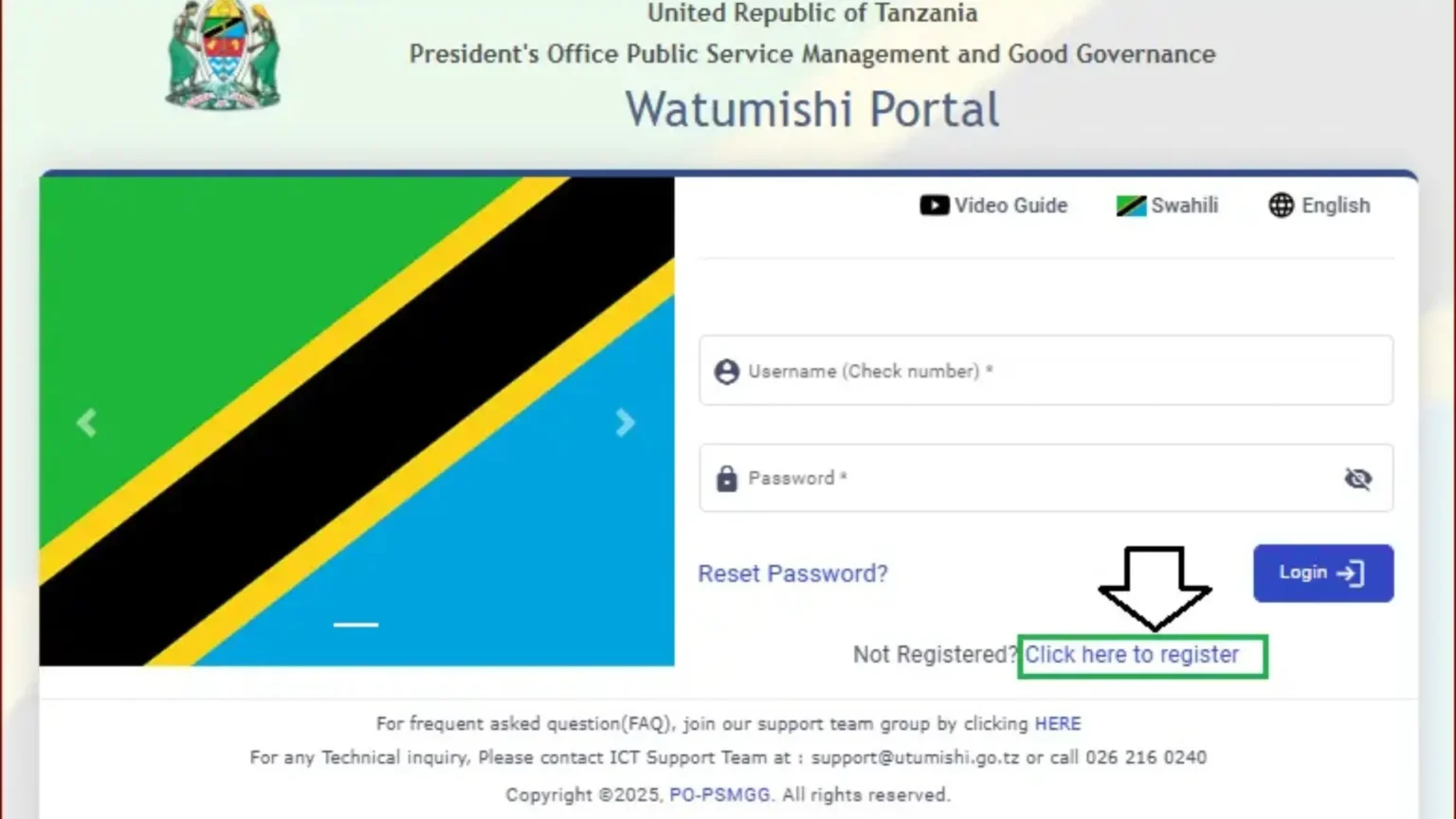
3. After creating the account, enter your personal details like name, phone number and email.
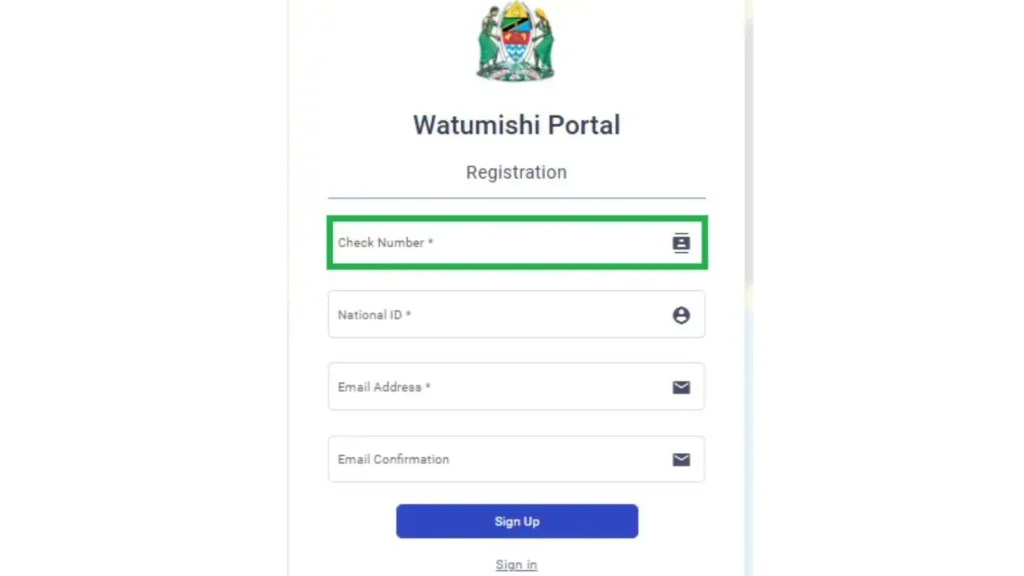
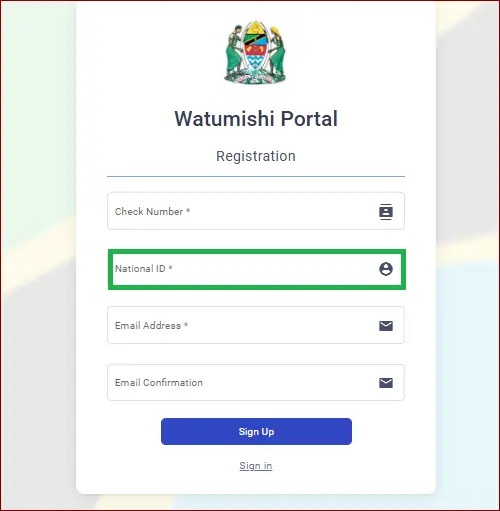
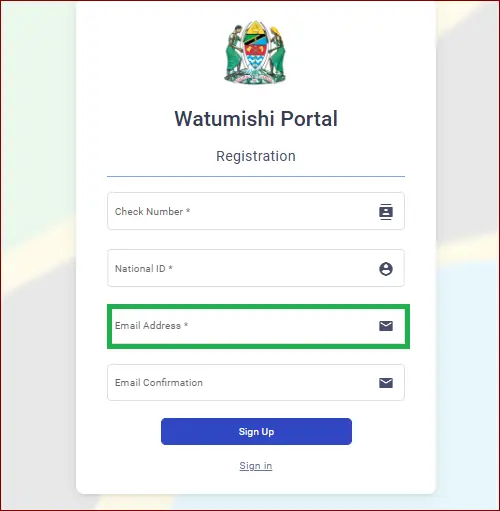
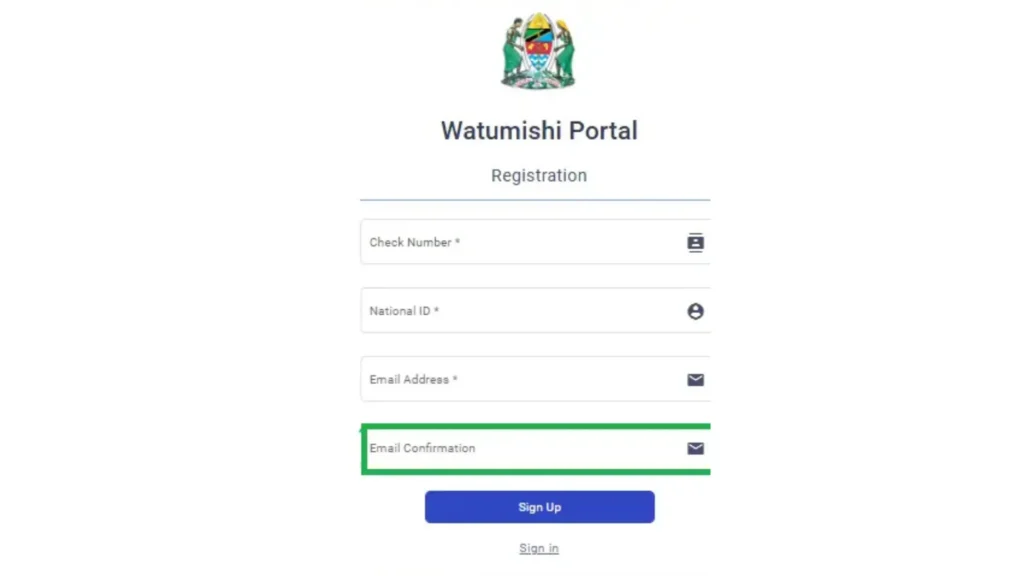
4. Always create a username and a strong password which you can remember.
5. If the system asks, enter your employment or ID information.
6. After that, submit the form and wait for the confirmation message.
7. Check your email or SMS and click the verification link to activate your account.
Eligibility Criteria for Registration
The ESS Utumishi portal was created by the President’s Office. The Public Service Management and Good Governance is responsible for managing government employees. They introduced this portal to make employee services fast and easy. The Tanzania e Government Agency also played an important role in developing this portal. eGA provided the technology, design and technical support to create a user friendly system. The eGA is reliable, modern and easy for all government staff.
To register on the ESS Utumishi portal, you must be a government employee in Tanzania. You should also have a valid Tanzanian National ID(NIDA). Only the public servants are allowed to create an account. This portal is designed for employees who are working in government ministries, departments and agencies.
Important Notes During Registration
How HCMIS stores your Information:
ESS Utumishi Login Guide
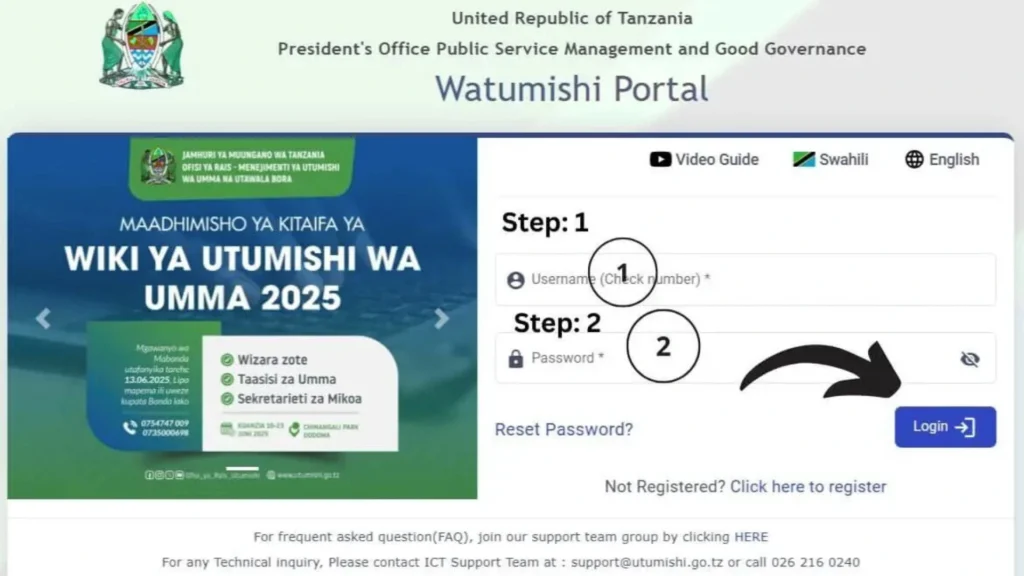
How to log in to your Account:
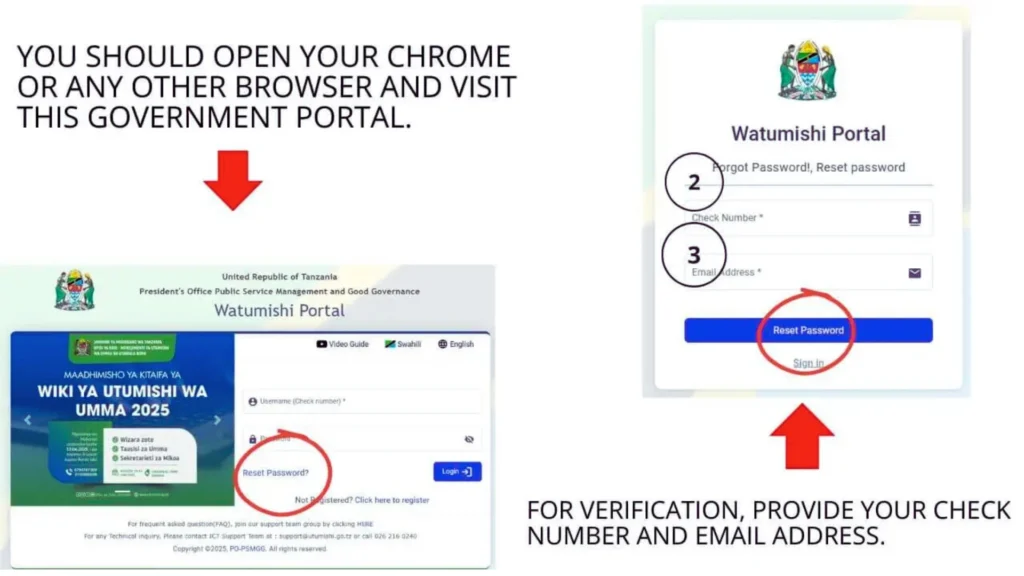
How to Reset Password on ESS Utumishi
Tips to keep your Account Secure
Understanding the PEPMIS Module
The PEPMIS Module in the ESS Utumishi portal stands for Performance Evaluation and Management Information System. It is designed to help employees and supervisors to monitor work performance. They can work in a clear and organized way. The employees can access PEPMIS by logging into their ESS Utumishi account and clicking on the PRPMIS section on their dashboard. They can view all assigned tasks, track deadlines, update progress and even create sub tasks to manage their work efficiently. The supervisors can also monitor task completion and provide guidance when needed.
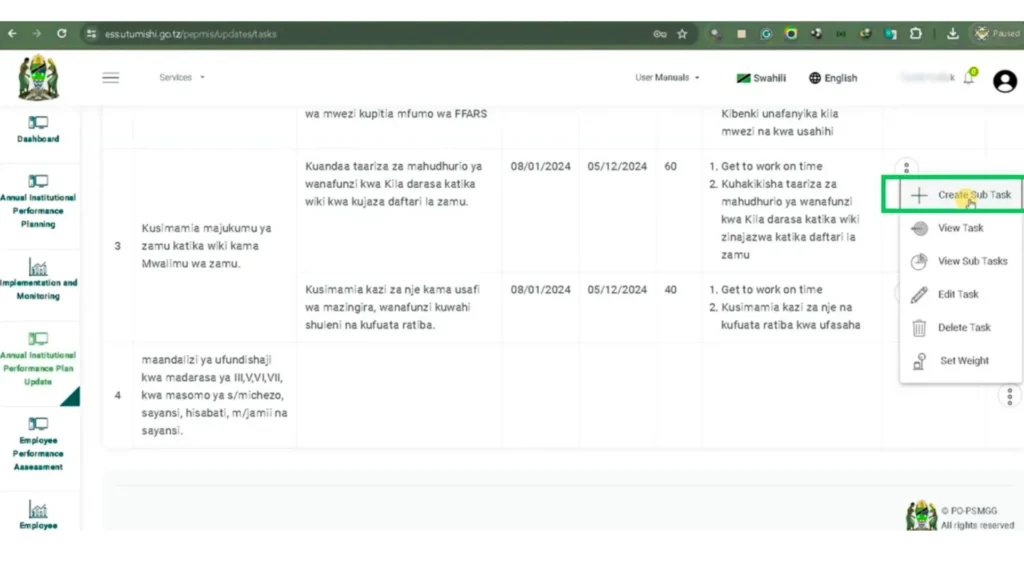
It can make the performance evaluation process transparent and fair. The PEPMIS uses a color coded alert system to make it easy for employees to manage priorities. The green color means the tasks are on track, yellow color indicates urgency and red color warning that the tasks require immediate attention. The employees can organize their work better and track their performance. The supervisors can evaluate and support the staff. They ensure that all tasks are completed on time.
ESS Utumishi Mobile App (2025)
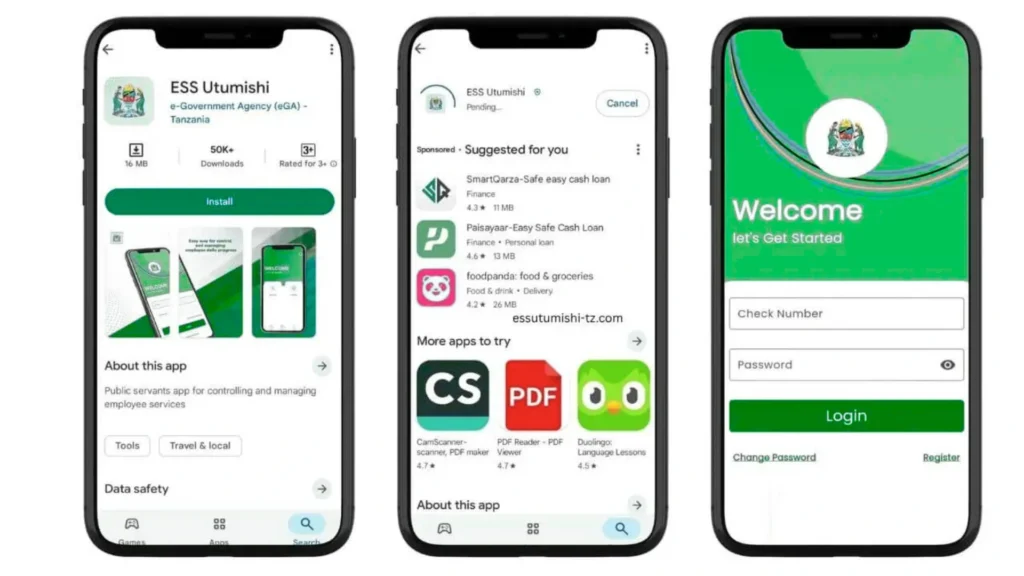
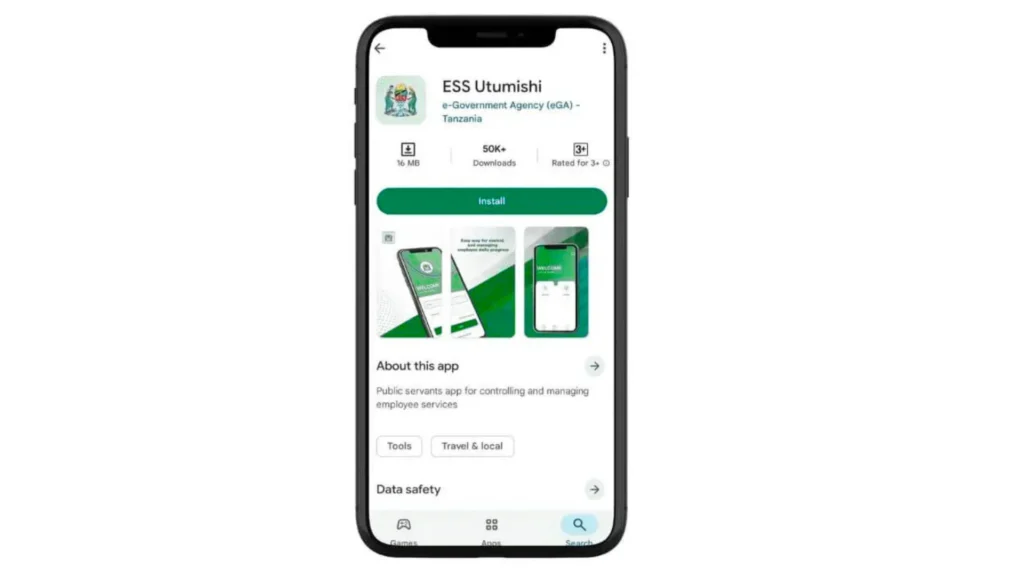
Benefits of Using the ESS Utumishi Mobile App
1.Quick Data Access:
You can access your salary slips, leave details and personal information with a mobile app. There is no need to log in to the website or wait in queues. Your all information is just a few taps away. It saves your time and makes your work much easier.
2.Better Privacy:
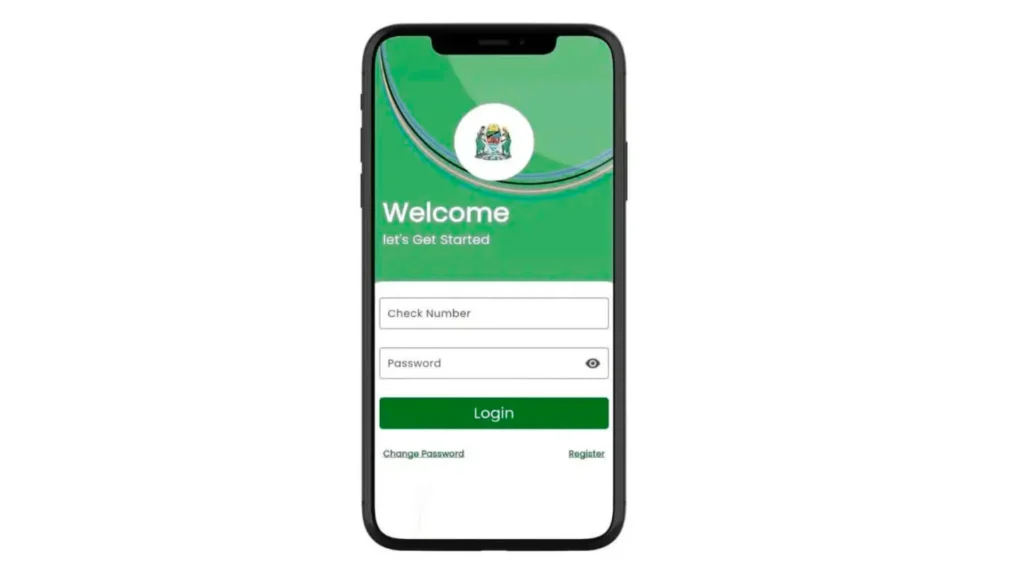
The app keeps your personal and job related information secure. As compared to public computers or shared devices, the mobile app protects your data. By using your login details, you can access your account. It reduces the risk of unauthorized access.
3.Fast Service Management:
Through the app you can apply for leave and submit transfer requests. You can also apply for e loans quickly. Everything is done digitally, so there is no need for paper forms or office visits. It makes managing your work related tasks fast and more convenient.
4.Notifications and Updates:
The mobile app sends instant notification about approvals, deadlines or important announcements. There is no need to check your email or visit the office to stay informed. This feature keeps you updated on all important information in real time.
5.Easy Performance Tracking:
You can view your tasks and Performance reports through the app anytime. The PEPMIS Module and alerts help you to track your progress efficiently. It is easy to meet deadlines and improve your work performance.
6.Convenient Anywhere, Anytime Access:
You can use this app anytime, anywhere. You can use it through home, while travelling or anywhere you have Internet access. There is no need to go to the office for simple tasks. You can manage your work life easily no matter where you are.
Security Features of the ESS Utumishi Portal
Comparison with Other Government Portals
| Portal Name | Main Purpose | Key Features | Accessibility | What makes ESS Utumishi unique |
|---|---|---|---|---|
| ESS Utumishi | Helps government employees to manage job and HR information | View salary slips, leave balance, employment records, personal details | Easy online access with secure login | Dedicated only to government employment for HR service |
| NHIF Portal | Provides national health insurance services | Check membership, contribution, benefits, hospital list | Website+mobile app | ESS Utumishi focuses on employment info, not health insurance |
| LATRA Portal | Transport regulation and fare information | Check fares, routes, submit hospital list | Public online access | ESS Utumishi is private to staff not public |
| NIDA Portal | National ID access and verification | Check NIN status, print control numbers, update details | Website open to citizens | ESS Utumishi handles employee records while NIDA handles national identity |
| TRA Portal | Tax service for individuals and businesses | Check TIN, file taxes, manage payments | Online services+mobile platforms | ESS utumishi is for employee HR needs, not taxation |
Common Errors with Troubleshoot
1.Login Problems error like it is unable to log in or password not working.
Solution: Make sure your NIDA number, check number and password are typed correctly. If you forget your password, use the “Forget Password ” option. Also check your Internet connection and try again.
2.Sign Up Errors like registration fails or information does not match.
Solution: Re check your NIDA number, phone number and check number. Enter the details slowly and correctly. If the issue continues, try again later or contact your HR officer.
3.Slow Portal like portal loads slowly or does not open.
Solution: After refreshing the page, wait a few minutes. At a less busy time, try using the portal. Your internet connection must be stable.
4.Password Reset Not Working like password reset link or code not received.
Solution: Make sure that your phone number is correct and check your email spam folder. Wait for a few minutes and reset the link again.
5.Verification Issues like a system cannot verify your details.
Solution: Make sure your information matches the government database. Correct any spelling mistakes. Contact your HR office if verification still fails.
6. The mobile app crashes or freezes. The app closes suddenly or stops responding.
Solution: First, restart the app and update to the latest version. Reinstall the app, if the issue continues.
Real-Life User Feedback and Testimonials

Real-Life User Feedback and Testimonials
The Tanzanian government employees said that this portal has made their work life easy. One officer mentioned that checking salary slips online saves a lot of time because they no longer need to visit the HR Office. Another employee shared that the portal helped them to track their leave days more accurately. It can reduce the confusion and delays. Many users said that the system is fast and easy to understand.
There are some challenges also like slow loading during peak hours or difficulty in receiving the verification codes. Overall, most users feel that the portal has improved transparency, reduced paperwork and made HR services more convenient for government workers.
Integration with Other Government Systems
The ESS Utumishi portal is part of Tanzanian’s large digital government system. It connects with other platforms to make public service management easy and more efficient. Like it can share information with the TRA(Tax) portal to help employee income for taxation purposes. It also works with NHIF portal for health insurance contributions and benefits tracking. Regional government systems can access employee records when needed. This integration ensures that data is accurate across all government platforms. By linking different systems, ESS Utumishi reduces paperwork, avoids repeated data entry and creates a more seamless digital service experience.
ESS Utumishi Support Contacts
If you ever need help while using the ESS Utumishi portal, you can easily contact their support team through email or phone. The official email address is [email protected]. you can send detailed questions, report errors or request technical help. In simple words you can explain your problem. The team will reply with clear instructions.
You can call their helpline at 026-216-1240 for fast assistance. The support officer talks to you and guides you step by step. The support team can handle login issues, account problems, technical errors and general questions. It is easy for everyone to get help when needed.
Conclusion
The ESS Utumishi portal is a helpful digital platform. It makes the work easy for all government employees in Tanzania. It provides important services like salary slips, leave requests, personal information, updates and performance. The employees can manage their tasks anytime with mobile apps and user friendly features. You can do it without visiting the office.
It can also improve the communication between staff and supervisors. The whole system becomes more organized and transparent. In short, ESS Utumishi is a smart and modern tool. It can save time and reduce stress. It can support better service delivery for every public servant.
Frequently Asked Questions
1.Is the ESS Utumishi portal safe?
This portal is safe. It uses strong security features to protect your personal information including data encryption and user verification.
2.How do I change my personal information?
You can update your personal details by logging in to your account and opening the “My Profile” section. You can edit your information and save the changes.
3.What if I don’t receive the verification code?
If you don’t receive the verification code, check your email spam folder or make sure your phone number is correct. You can request the code again.
4.How to view my salary slips?
Log in to your ESS Utumishi account and go to the “salary Slip” section. You can view, download and print your salary slips from there anytime you want.
5.Can I check my leave balance?
You can check your leave balance through the “Leave” section in your account. It shows how many days you have used and how many are still available.